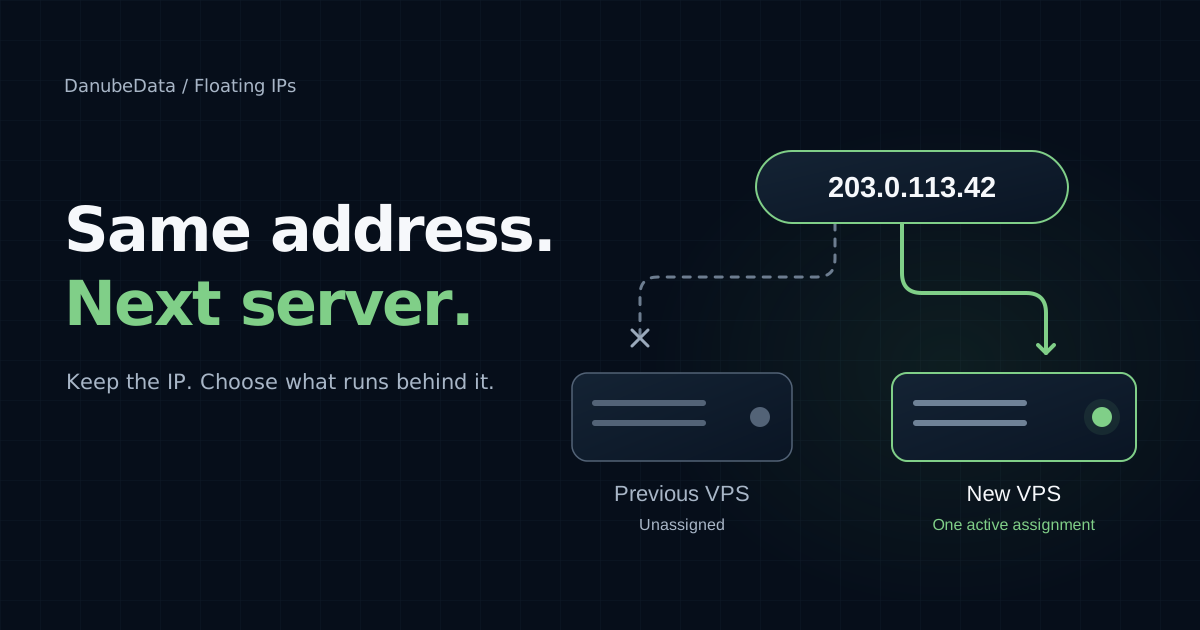
Your application needs a new server. Perhaps you are replacing its operating system, moving to a different configuration, or preparing a fresh deployment. Getting the new VPS ready is one job. Updating everything that points to the old address is another.
A Floating IP separates the address reservation from the VPS. Your project keeps the address, and you choose how to use it. A DNS record or destination allowlist can continue to refer to that address as the server behind it changes.
On DanubeData, a reservation can supply a new VPS's primary address or become an additional address on an existing, compatible VPS. Those two roles have different rules, especially when it is time to move.
Floating IPs are documented as a beta feature for qualified teams and hosts. Check the console for the locations, address families and capacity available to your project.
One address, reserved for your project
A Floating IPv4 is one /32 address. A Floating IPv6 is one /128 address, rather than an IPv6 subnet. Each reservation belongs to your project independently of a VPS and can have only one assigned VPS at a time.
That separation is useful when the address is part of an application's public identity. For example, app.example.com can point to a reserved address while you prepare a replacement server. When you move an additional address, its DNS record can stay unchanged. You still need to move the application and its data, and you should plan for an interruption during the cutover.
Start a new VPS with a reserved primary address
Reserve the address first, then select it under Primary IPv4 or Primary IPv6 when creating a VPS. The selection must match the network stack and an eligible location. The platform configures the chosen primary address inside the new VPS and confirms routing before reporting it ready.
A primary reservation stays linked through rebuilds and deployment errors. While the VPS exists, the reservation is protected from reassignment, unassignment and release.
Deleting the VPS preserves the reservation. Once workload removal and routing cleanup are confirmed, you can use the address for another VPS. This suits a replacement workflow in which you want to retain the address after retiring the original server.
The reservation is charged separately from the VPS plan, and keeping it reserved continues that charge.
Attach an additional address to an existing VPS
An additional address suits a different workflow: your VPS already has its primary IP, and you want a separate public address for a service.
Choose a running VPS in the same project and network zone. It needs a primary address of the matching family: IPv4 for an additional IPv4 address, or IPv6 for an additional IPv6 address. Host compatibility and available capacity also apply.
Request assignment in the console and wait for Routing applied. Then add the address inside the guest operating system, preserving its primary address and existing default gateway. Make the change persistent using the guest's network manager if it must survive a reboot.
Finally, check that the application listens on the address, allow the intended traffic through the firewall, and test from another machine. Routing applied confirms the platform's network configuration. It does not verify the guest or application for you.
Plan a move between servers
For an additional address, a planned cutover can follow this sequence:
- Prepare a compatible destination VPS. Install the application, arrange data synchronisation, and check its configuration before changing the public endpoint.
- At the cutover, remove the Floating IP from the old guest's runtime and persistent network configuration. Do not leave it configured on both guests.
- Open Manage for the reservation, select the destination VPS, and request reassignment.
- Wait for Routing applied, then configure the address on the destination guest.
- Test the service externally, including the firewall, application listener and any TLS configuration it depends on.
Expect an interruption while the network and guest configuration change. Existing connections can be interrupted. The console distinguishes the requested destination from the last confirmed destination while the change is in progress, so an accepted request is not the same as a completed move.
The Floating IP changes where traffic goes. It does not replicate a database, transfer files, or prepare the replacement application.
Decide how you will handle failure
Floating IP reassignment is an operation you request. It does not automatically detect an unhealthy application and switch traffic to a standby server. Health checks, data replication and failover orchestration need their own design.
There is also a network dependency to account for. Existing subnet addresses continue to route through the host that owns their subnet, even when the destination VPS is on another host. Reassignment does not move that gateway. A gateway outage can interrupt connectivity while the VPS remains running.
Use a Floating IP to retain and control an address through server changes. Include the application, data and network dependencies when planning availability.
Unassigning keeps the reservation
Charging starts when you reserve an address and continues while it is unassigned. Unassign removes the network assignment; it keeps the address for your project.
To end the reservation charge, unassign the address, wait for confirmed cleanup, then release it. For a primary reservation, delete its VPS and wait for cleanup first. Billing ends after release succeeds.
A released address may be allocated to another customer, so do not release an address you intend to reuse. Review the current price shown in the console before reserving.
Choose the role before the server
Use a reserved primary address when creating a VPS whose address you want to retain through rebuilds and after eventual deletion. Use an additional address when you need to move a service endpoint between compatible, existing VPSs.
Start with the Floating IPs guide for eligibility, guest setup and release steps.
See Floating IPs on DanubeData or explore VPS options.

